iPhone water damage: How to recover your data!
iPhone water damage and important data? We show you how you can recover your data. From DIY tips to professional data recovery!
Don't want to take any risks? Our iPhone data recovery at a fixed price costs 179,90 € including a USB drive and has a 95 % success rate. If unsuccessful, only a 29,90 € processing fee applies.

An iPhone with water damage is a nightmare, especially if it contains irreplaceable photos, important contacts or business documents. The good news: all is not always lost. This comprehensive guide shows you what immediate steps you can take and how professional data recovery maximises your chances of recovering data from your water-damaged iPhone. We show you what you can try yourself and when it is time to contact a specialist in iPhone water damage data recovery.
What you can try yourself to recover data after iPhone water damage
Before seeking professional help, there are a few steps you can take yourself to improve the chances of successful data recovery after iPhone water damage. Important: Act quickly, as corrosion caused by water can make the damage exponentially worse.
✅ What you should do IMMEDIATELY (Do's):
Act quickly to stop current flowing through the wet device.
- Switch it off immediately! First things first. If the device is still on, force it to switch off (press and hold the power button).
- Dry the exterior: Gently pat the iPhone dry with a soft, lint-free cloth or paper towel.
- Remove the SIM card: Remove the SIM card tray and dry it. This also allows a small amount of ventilation.
- Leave it to rest: Place the device in a dry location with normal air circulation and leave it untouched for at least 24-48 hours.
❌ What you must NEVER do (Don'ts):
These actions almost always make the damage worse and can make data recovery impossible.
- NEVER switch it on! Resist your curiosity. Trying to turn it on sends current through wet components and often causes the final, fatal short circuit that destroys your data.
- DO NOT charge it under any circumstances! Never connect the iPhone to a charging cable. This often immediately destroys the sensitive charging chip on the logic board.
- NO heat (hair dryer, radiator, oven)! Heat damages the battery and adhesive seals. A hair dryer also forces water even deeper into the device.
- DO NOT shake it or blow into it! This only spreads the water into parts of the iPhone that may previously have been dry.
- WARNING about the "rice myth": Put the iPhone not in rice. Rice does not effectively dry the interior. Worse still: rice dust and starch combine with moisture on the logic board to form a sticky mass that makes professional cleaning much more difficult.
⚠️ Important note: If you have already tried any of these things
Have you already briefly switched on or charged the iPhone, or is it already sitting in rice? Please do not panic. This does not necessarily mean that all your data is immediately lost for good. We see this often.
BUT: Stop trying RIGHT NOW.
Disconnect it from power immediately, switch it off (if possible) and take it out of the rice. Do not repeat these actions under any circumstances. Every further DIY attempt now significantly reduces the chances of successful data recovery. Leave the device switched off and untouched until a professional examines it.
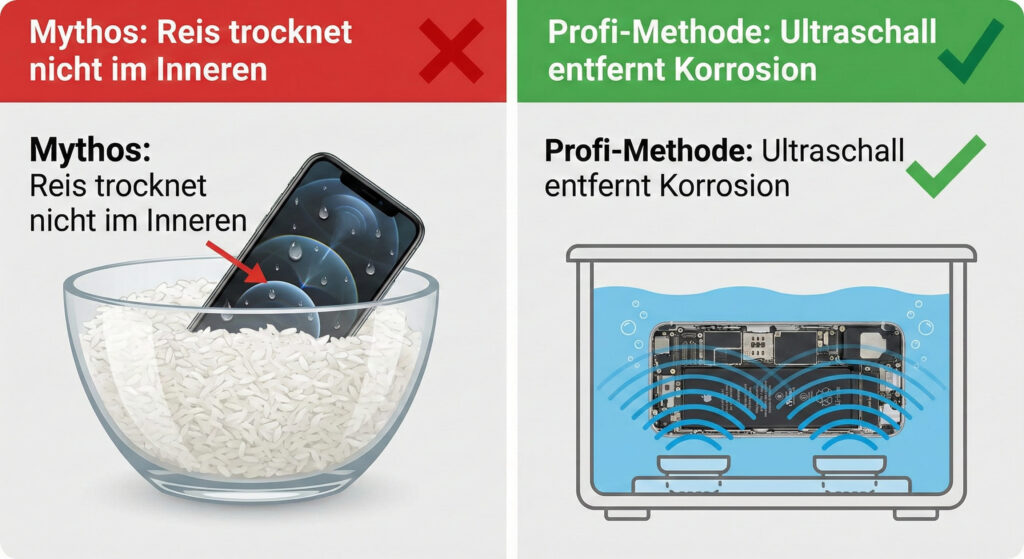
Complex (professional required): Ultrasonic cleaning and professional drying
If the methods listed above do not help, professional assistance is required. Professional cleaning and drying can prevent corrosion and increase the chances of data recovery. However, these methods can only be carried out by specialists.
- Ultrasonic cleaning: In our laboratory, we use ultrasonic baths to gently remove corrosion and contaminants from the iPhone. We use special cleaning fluids that do not cause further damage.
- Professional drying: After cleaning, the iPhone is dried in special drying chambers to ensure that all moisture is removed.
Comparison: DIY attempts vs. professional data recovery after water damage
| Feature | DIY attempt (e.g. drying at home) | Professional data recovery (HandyArzt) |
|---|---|---|
| Objective | Hoping it will work simply by drying it. | Targeted data recovery & professional cleaning. |
| Corrosion treatment | None. Corrosion often continues inside unnoticed. | Active removal using an ultrasonic bath and specialised chemicals. |
| Risk of further damage | High (due to attempts to turn it on, residue and ongoing corrosion). | Minimal (through expert handling and diagnosis). |
| Chances of successful data recovery | Low to uncertain (a matter of luck). | Very high (through specialised technology and expertise). |
| Costs | Free (but potentially costly due to data loss). | Depends on the work required (transparent quote after diagnosis). |
Technical background: How water damages an iPhone and affects data recovery
Water inside an iPhone can cause a variety of problems that make data recovery difficult or impossible. Understanding the technical background helps you better assess the need for professional help. The main enemy is not the water itself, but the resulting corrosion. Electrolysis begins as soon as current flows. The Tristar chip (USB management) in particular is often affected because it carries low voltages and is susceptible to short circuits. The baseband section (cellular modem) is also critical, as it contains complex circuitry. The NAND flash memory chips themselves are relatively resistant, but corrosion can break the data lines leading to them.
Corrosion mainly affects the fine traces on the logic board and the contacts of the various chips. This can cause short circuits, open circuits and malfunctions. Areas with a high component density, such as the CPU and memory areas, are particularly critical. Water damage can also affect the battery, which can lead to further problems.
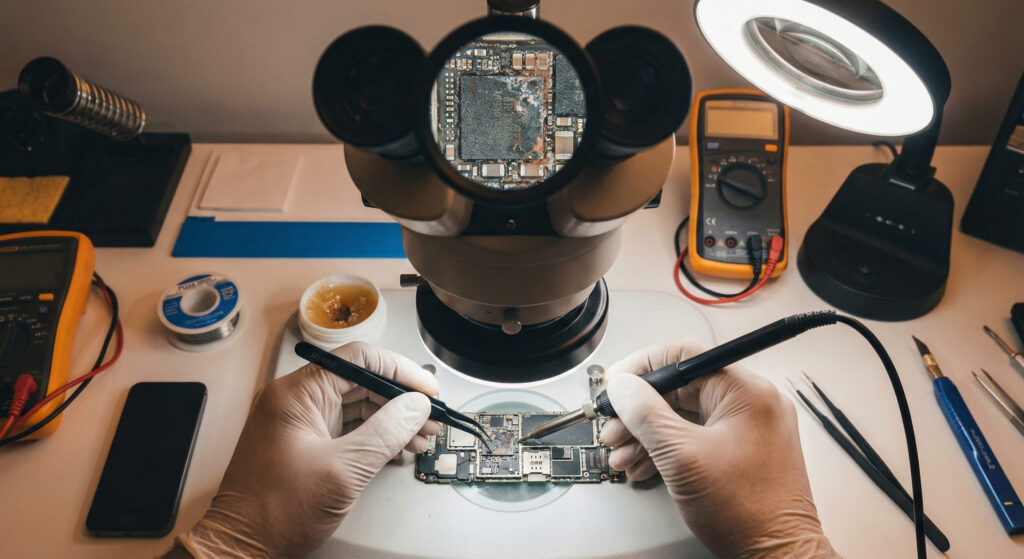
Professional data recovery for water-damaged iPhones: Our expertise
At HandyArzt, we use state-of-the-art technology and years of experience to recover your data after iPhone water damage. Our success rate is above average because we specialise in logic board-level repairs. This means we can not only fix surface damage but also replace faulty chips and repair traces. Unlike many other repair shops that only offer component replacements, such as screen repairs or battery replacements, we can also extract data from devices with logic board faults.
Step by step: Our data recovery process after water damage
- Diagnosis: First, we carry out a comprehensive diagnosis to determine the exact extent of the damage. We use specialist diagnostic equipment, such as an oscilloscope and a multimeter, to locate short circuits and breaks in circuits. We examine the logic board under a microscope to identify corrosion damage.
- Cleaning: The iPhone is then cleaned in an ultrasonic bath to remove corrosion and contaminants. We use special cleaning fluids that do not damage the electronics.
- Repair: Faulty components are replaced and damaged circuit traces repaired. We use high-quality replacement parts and precise soldering techniques.
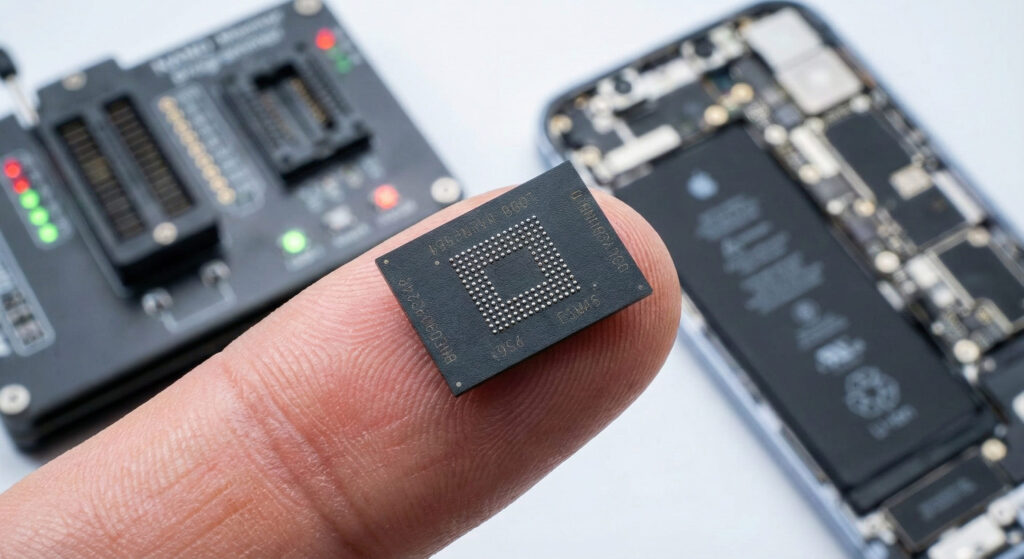
- Data extraction: After the repair, we attempt to read the data directly from the iPhone. If this is not possible, we use special chip-off techniques to extract the data directly from the memory chip.
- Data recovery: The extracted data is analysed and recovered. We can usually recover photos, videos, contacts, messages and other important files.
- Quality control: Finally, we carry out comprehensive quality control to ensure that all data has been recovered correctly.
A typical case: A customer brought us an iPhone 8 that had fallen into salt water. The device would no longer turn on. Our diagnostic assessment revealed corrosion on the Tristar chip and several capacitors. We replaced the faulty components, cleaned the logic board and ultimately extracted all the data successfully. The soldering temperature for the Tristar chip was 360°C using lead-free solder. We used a JBC CD-2SQE soldering station.
When does professional iPhone data recovery make sense after water damage?
Professional iPhone data recovery is worthwhile when…
- You have important, irreplaceable data on your iPhone.
- The self-help measures mentioned above have not worked.
- Your iPhone will no longer turn on.
- You have no experience repairing smartphones.
- You want to avoid the risk of further damage.
Conclusion: iPhone water damage — data recovery is possible!
An iPhone with water damage is frustrating, but it does not necessarily mean your data is lost. Taking immediate action and getting professional help can significantly improve your chances of successful data recovery. At HandyArzt, we are here to help recover your valuable data with our expertise and state-of-the-art technology. Contact us for a no-obligation diagnostic assessment!
Frequently asked questions
In most cases, attempting a repair yourself is not recommended, as you risk causing further damage. With water damage in particular, it is important to act quickly and seek professional help.
Can your data be recovered?
Use our interactive chip-level analysis for an immediate initial expert assessment.
We recover your data at a fixed price
Professional data recovery at a fixed price.
iPhone, Samsung & more—including diagnosis and an encrypted USB drive. If unsuccessful, only a 29,90 € processing fee applies.
- ✓ Kostenlose Diagnose
- ✓ Bei Nichterfolg nur 29,90 €
- ✓ Data on a USB drive
- ✓ Diskrete Behandlung